
Your Android phone,
a real MC server
Minexa is a native Android app that runs a full Minecraft Java Edition server on your phone. No root, no always-on PC. Java 8 to 25, 16 server cores, plugins, mods, tunneling, backups, crash reports, and MCP remote control — all on the device.
First run needs internet to install the runtime and download the core; LAN play works without it afterwards.
Features
FEATURESFrom first boot to LAN party to day-to-day ops, one phone covers the whole flow. Highlights below; the details live in the repo docs.
Multi-serverMULTI-SERVER
Each server gets isolated cores, worlds, configs, plugins and mods with one-tap switching. Server directories live under servers/, one folder per server.
Server importIMPORT
Folders, JARs, and archives (ZIP / 7z / tar.xz and a dozen more) import directly with automatic core and version detection. Modrinth .mrpack files are SHA-1 verified, skip client-only files, and apply overrides.
Plugins & modsPLUGINS / MODS
Scan, enable/disable, delete, SAF upload, URL install. Built-in Modrinth search with Minecraft version and loader matching.
TunnelingTUNNEL
Bundled frp and bore, plus the SakuraFrp and ME Frp hosted platforms. One-tap copy for LAN and public addresses, shown right in the UI.
Backups & crash reportsBACKUP / CRASH
Backups for overworld / nether / end or the whole server, exported via SAF. On abnormal exit the app keeps Watchdog and thread-dump highlights plus the last 800 log lines, and aggregates native reports for local analysis — the real blocking point never gets truncated.
Keep-aliveKEEP-ALIVE
Foreground service with a persistent notification, CPU / Wi-Fi wake locks, boot startup, and WorkManager checks. Optional floating overlay shows state, CPU and memory.
Home-screen widgetsWIDGETS
Four widget types — overview, console, event log, mods/plugins — with action buttons, refreshed by a background worker.
MCP remote controlMCP SERVER
Built-in Model Context Protocol server (Streamable HTTP): AI assistants on your LAN can check status, start/stop, send console commands, and read logs, guarded by a bearer token.
Material 3 UIUI
Jetpack Compose with dynamic color and dark theme. Core and version pickers are compact, and the download list shows the newest 8 versions first.
Supported cores
CORES
16 cores covering Java plugin servers, mod servers, vanilla, proxies, and Bedrock (PowerNukkitX / PocketMine-MP / Allay).
Version lists come from each core's official API, so new upstream releases show up as soon as they publish. Versions sort by numeric segments, so 26.2 correctly ranks above 1.21.11.
| Core | Plugins | Mods | Notes |
|---|---|---|---|
| Paper | ✓ | ✕ | High-performance Java plugin server |
| Purpur | ✓ | ✕ | Paper fork with more feature toggles |
| Leaves | ✓ | ✕ | Paper fork tuned for high-version survival |
| Leaf | ✓ | ✕ | Paper fork, Bukkit-compatible with perf work |
| Spigot | ✓ | ✕ | Classic Bukkit-compatible plugin server |
| CraftBukkit | ✓ | ✕ | Official Bukkit implementation |
| Fabric | ✕ | ✓ | Lightweight mod loader |
| Forge | ✕ | ✓ | Traditional mod loader |
| NeoForge | ✕ | ✓ | Forge successor; runs installer after download |
| Quilt | ✕ | ✓ | Fabric fork; runs installer after download |
| Vanilla | ✕ | ✕ | Official vanilla server |
| Velocity | ✕ | ✕ | Java proxy |
| BungeeCord | ✕ | ✕ | Java proxy |
| PowerNukkitX | ✓ | ✕ | Bedrock Nukkit core, UDP protocol |
| PocketMine-MP | ✕ | ✕ | Bedrock PHP server; downloads its own PHP runtime |
| Allay | ✕ | ✕ | Next-gen Bedrock server, needs Java 21+ |
Runtime environments
RUNTIMEJava and PHP runtimes coexist. Pick one in the UI and that's what launches. The app never rewrites your choice — a mismatch only produces an error with a concrete fix.
Termux JDKTERMUX
openjdk inside the Termux environment, installed via apt, started directly by the Android shell.
Pojav JREPOJAV
Android-native JRE built by PojavLauncher. IPv6 supported, no Linux container needed.
PRoot containerPROOT
A standard glibc Linux container; rootfs downloaded in-app, JDK via apt. The server directory maps to /srv/mineserve, so paths and behavior stay identical.
PRoot is a pure userspace compatibility layer and grants no root. Ubuntu 20.04 ships Java 8/11/17, 22.04 ships 11/17/21; the arm64 repos have no Java 25.
PHP runtime: PocketMine-MP doesn't use the JVM — it runs on a bundled Android aarch64 native PHP build, downloaded on demand (~10 MB) and shared by every PocketMine server.
Your pick is authoritative: if a Minecraft version needs a different Java at launch, the app only switches versions within the source you chose (e.g. Termux JDK 17 → 21). When that source truly can't provide it (no Java 25 in containers), it reports the error with a fix instead of silently swapping PRoot for Termux.
How does a phone run the server?
HOW IT WORKSInitialize the runtime
First setup installs the Termux-compatible runtime and Java into app-private storage. No system partition is touched, no root needed.
Start as ordinary child processes
Java 11/17/21/25 is launched by the Android shell; anything needing standard glibc (including Java 8) runs inside a PRoot container; PocketMine-MP uses native PHP. All are ordinary child processes managed by the app.
Listen on normal ports
Console commands go to process stdin; output is shown live and saved to logs/latest.log. LAN players join via the phone IP + port; public access needs an frp / bore tunnel or router port mapping.
$ minexa --init
[ok] termux bootstrap -> app-private storage
[ok] java 17 (termux jdk) installed
[ok] core: paper 1.21.4 -> servers/paper/server.jar
[ok] eula.txt accepted
$ minexa start paper
[java] booting 1.21.4 with -Xmx1024M
[mc] Done (3.21s)! For help, type "help"
[mc] listening on 192.168.1.101:25565
Straight talk: Minexa can't bypass NAT, carrier CGNAT, or firewalls. Where a tunnel is needed, a tunnel is needed. Phone hardware also makes it a great fit for small survival servers and friends — not large public servers.
Screenshots
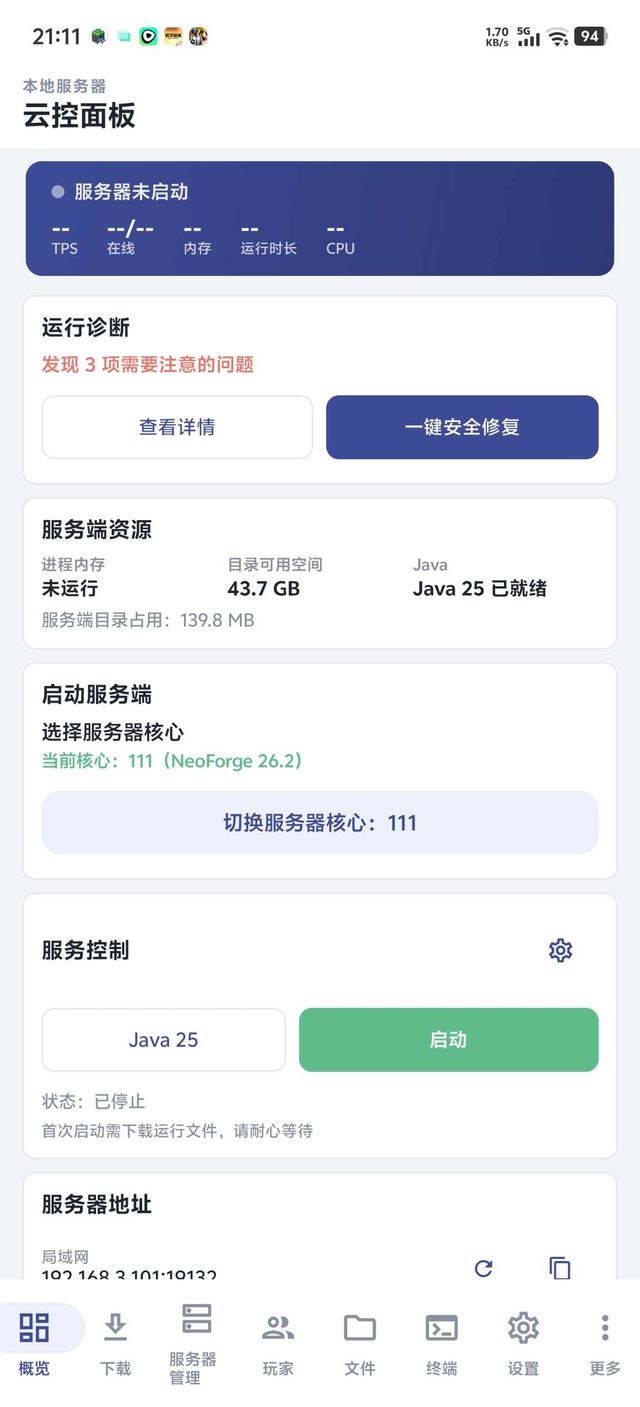
SCREENSHOTSMaterial 3 dark theme, real captures. Click any screenshot to enlarge.
CLICK TO ENLARGE
Quick start
QUICK STARTInitialize
Finish runtime setup and install the Java version you need (Termux / Pojav / PRoot).
Download or import
Pick a core and version on the Download tab, or import an existing server or .mrpack.
Accept the EULA
Read and accept the generated eula.txt — that's Mojang's requirement, not ours.
Start and join
Launch from the dashboard; friends on LAN join via the displayed phone IP and port. Use a tunnel for public access.
# clone and build the debug package (Windows: .\gradlew.bat)
$ git clone https://github.com/lovehutaocute/Minexa.git
$ cd Minexa
$ ./gradlew :app:assembleDebug
# APK lands in app/build/outputs/apk/debug/
# don't want to build? grab Minexa-arm64-v8a-release.apk from Releases
Requirements & known limits
REQUIREMENTS & LIMITS- Android 8.0 (API 26) or newer.
- arm64-v8a device; x86_64 is not supported yet.
- 4 GB+ RAM recommended, plus storage for the runtime, worlds, and backups.
- Internet access for first setup, core downloads, and modpack imports.
- CurseForge modpacks can't be imported directly yet (external metadata/API handling needed). Modrinth .mrpack works.
- OEM battery policies can still kill background processes — disable battery optimization and keep the device powered.
- No Java 25 inside PRoot containers (not in the Ubuntu arm64 repos).
- CPU values depend on Android / PRoot access to
/procand are best effort.
FAQ
FAQDoes it really not need root?
Can friends join from outside my LAN?
Can I import modpacks?
How do Java versions work? Will the app change them behind my back?
Will the system kill the background server?
Where are my worlds and configs?
servers/ in app-private storage, one folder per server. The bundled DocumentsProvider gives compatible file managers root-free access; inside a PRoot container the same directory maps to /srv/mineserve with identical paths and behavior.